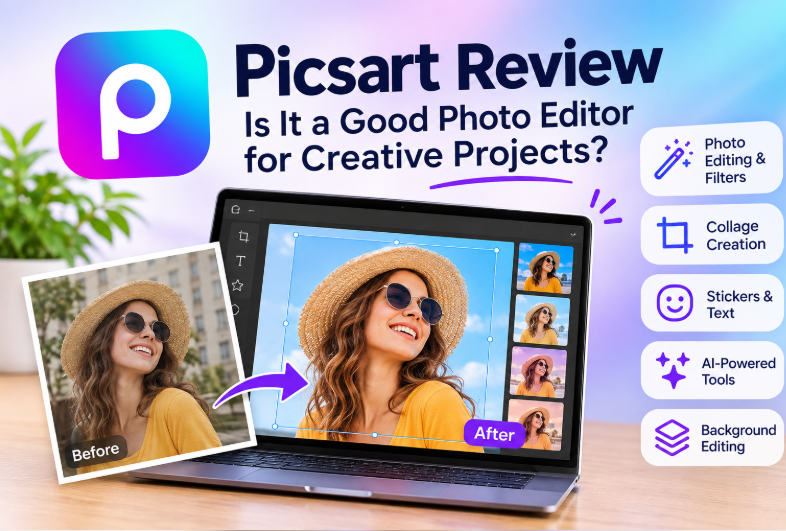
Choosing a photo editor is not always about adjusting brightness, cropping pictures, or correcting colors. Many people also want to create collages, add text and stickers, remove distracting backgrounds, or turn ordinary photographs into eye-catching social media graphics.
Picsart is a creative editing platform designed for these broader tasks. It brings photo editing together with design features, visual effects, and AI-assisted tools. This makes it worth considering for people who create content for social media, blogs, personal projects, and small businesses.
However, a large collection of features does not automatically make an editor the right choice for everyone.
In this Picsart review, we examine its main capabilities, potential advantages, limitations, and practical use cases. We also explain what to check before paying for a subscription and how to decide whether Picsart fits your editing needs.
1. What Is Picsart?
Picsart is a creative platform that combines photo editing with tools for producing visual content. It is designed for users who want to do more than make basic adjustments to an existing photograph.
Depending on the product version and device, its tools may support image adjustments, filters, collages, background editing, text, decorative elements, and AI-assisted creative tasks.
This range of functions makes Picsart relevant to several types of users:
- Social media creators preparing posts and visual stories.
- Bloggers creating images to accompany articles.
- Students working on presentations and creative assignments.
- Casual photographers experimenting with different styles.
- Small businesses preparing promotional graphics.
- Users who frequently combine several images into one composition.
Picsart is best understood as a general creative editing environment rather than a tool designed exclusively for professional photography.
Feature availability can vary by platform, account, subscription, and product updates, so check the current official information before relying on a specific function.
2. Key Picsart Features
Photo Editing, Filters, and Effects
Basic image adjustments are useful when a photograph needs improvements to its overall appearance. Cropping, color adjustments, and filters can help create a more consistent visual style.
For example, a blogger might adjust several photographs before adding them to an article, while a social media creator might apply a similar style to a group of images.
Filters can be convenient, but they should not replace careful editing. A strong effect may look attractive on one photograph and produce poor results on another.
Best use case: Everyday photo improvements and creative styling.
Background Removal and Editing
Background editing can help separate a subject from its surroundings or prepare an image for a new composition.
Imagine that you want to create a promotional graphic featuring a product photographed on a cluttered desk. Removing or replacing the background may make the product easier to highlight.
Automated selection tools can save manual work, but the results are not always perfect. Fine hair, transparent materials, overlapping objects, and complicated outlines can be difficult to process cleanly.
Before publishing an edited image, inspect the subject’s edges and check for missing details or unwanted remnants of the original background.
Best use case: Portrait compositions, social graphics, and simple promotional images.
Collage Creation
Collages combine multiple photographs into a single layout. They can be useful for travel recaps, before-and-after comparisons, event collections, product comparisons, and personal projects.
A collage tool can simplify the layout process by providing arrangements that users can adapt rather than requiring them to position every image manually.
However, the quality of a collage still depends on image selection and visual organization. Too many photographs or inconsistent proportions can make the final composition difficult to follow.
Best use case: Projects that need several images presented together.
Text, Stickers, and Decorative Elements
Photos are often only one part of a finished design. Text, stickers, shapes, and other decorative elements can help communicate a message or establish a visual style.
For example, a creator preparing a social media announcement might combine a photograph with a short headline and a few supporting graphics.
The main challenge is keeping the design readable. Excessive decorations can compete with the main subject, especially when an image is viewed on a small mobile screen.
A useful approach is to decide what the viewer should notice first and then add only the elements that support that goal.
Best use case: Social media posts, event graphics, and informal promotional content.
AI-Assisted Creative Tools
Picsart has expanded beyond conventional photo editing to include AI-assisted creative capabilities. The exact tools, usage allowances, and access conditions may change over time.
AI features can be useful for exploring alternative visual ideas or modifying selected elements. However, automatically generated or edited content should not be treated as correct simply because it looks convincing at first glance.
Review the result for distorted objects, inconsistent lighting, unusual details, and inaccurate text. These issues can be particularly important when preparing images for business use.
If you intend to use AI-generated content commercially, review the applicable terms and asset restrictions before publishing it.
Best use case: Creative experimentation and selected editing tasks where the final output can be reviewed.
Editing Across Devices
Picsart supports different editing environments, including web and mobile experiences. This can be convenient for people who work on images in different situations.
For example, someone might start with photographs on a phone and later prepare a graphic using a larger screen.
However, do not assume that every tool, export option, or subscription benefit is identical across all devices. Check the version you intend to use before building an important workflow around a particular feature.
3. Picsart Pros and Cons
Before choosing an editor, it helps to compare its potential strengths with the trade-offs.
Potential Advantages
A broad range of creative tools: Picsart can support basic editing, collages, visual effects, and design-oriented tasks within one general platform.
Useful for social content: Its creative approach may suit users who regularly prepare graphics for social networks, blogs, or personal projects.
Multiple ways to edit: Users can work with photographs, text, decorative elements, and compositions rather than relying on color correction alone.
AI-assisted options: Selected AI features may provide additional ways to experiment with images.
Suitable for casual creative projects: Users who do not need a specialized professional workflow may find this combination of tools useful.
Potential Disadvantages
The interface may feel busy: People who only want to crop an image or make a small adjustment may find a feature-rich editor unnecessarily complicated.
Creative effects require judgment: More filters and decorations do not necessarily produce better images. Poorly chosen effects can make a design look cluttered.
AI results need inspection: Automated editing may leave visual errors or produce results that do not match the original intention.
Some features may be restricted: Premium tools, assets, or AI usage may depend on the current plan and its limits.
Licensing and privacy need attention: Users should review the applicable terms before uploading sensitive material or using platform assets in commercial projects.
The overall trade-off is straightforward: Picsart may be more useful when a project involves several creative elements, but less necessary when the task requires only a few basic adjustments.
4. Who Should Use Picsart?
Picsart may be worth considering if you regularly create visual content and want editing and design tools in the same environment.
| User type | Potential fit | Why |
|---|---|---|
| Social media creators | Good potential fit | May need filters, text, effects, and collages |
| Bloggers | Good potential fit | Can prepare supporting images and article graphics |
| Students | Depends on the project | May help with visual assignments and presentations |
| Casual photographers | Depends on editing style | Useful for creative effects, though simpler tools may be enough |
| Small businesses | Depends on requirements | Can help prepare informal promotional graphics |
| Professional photographers | Workflow dependent | May need more specialized controls for detailed image processing |
| Users who only crop images | May be unnecessary | A simpler editor could be quicker |
These are general use-case assessments, not results from a comparative performance test. Your experience will depend on the particular tools you need and how you prefer to work.
5. A Practical Example: Creating a Social Media Graphic
Consider a blogger who wants to publish a social media post featuring a portrait and two supporting photographs.
A practical editing workflow could look like this:
Step 1: Select the images. Choose photographs with adequate resolution and a clear visual subject.
Step 2: Make basic corrections. Adjust cropping and appearance where necessary. Avoid applying strong filters automatically to every image.
Step 3: Prepare the backgrounds. If the composition requires it, remove or simplify distracting backgrounds. Inspect the edges after automated processing.
Step 4: Arrange the composition. Place the photographs in a collage or another layout that makes the main subject easy to identify.
Step 5: Add supporting elements. Include a short heading or a small number of decorative details only when they help communicate the message.
Step 6: Check readability. View the design at a smaller size to make sure the text remains legible and the main subject stands out.
Step 7: Export and inspect. Review the final image for unexpected cropping, visual artifacts, and quality issues before publishing it.
This example illustrates the type of workflow a creative editor can support. It is not a claim that Picsart has been independently tested or that it will complete these tasks faster than competing products.
6. Picsart vs. Other Types of Photo Editors
Not every photo editor serves the same purpose. The most useful comparison is based on the task you want to complete.
| Editing need | Picsart may be worth considering when… | Another type of tool may be preferable when… |
|---|---|---|
| Basic photo correction | You also want creative effects or design elements | You only need quick cropping and simple adjustments |
| Social media graphics | You want to combine images, text, and decorations | You need a dedicated publishing or brand-design workflow |
| Collage creation | You frequently arrange multiple images | You need a highly specialized layout workflow |
| Professional photo editing | Your needs are relatively creative and general-purpose | You require detailed, specialized photographic controls |
| AI-assisted editing | You want to experiment with available AI features | You need a specific capability that Picsart does not currently provide |
This comparison describes broad software categories rather than a benchmark against named competitors. Specific tools, prices, and capabilities should be checked against current product information.
7. Is Picsart Free?
Picsart offers different levels of access, and some features may require a paid subscription.
Whether the free version is sufficient depends on what you want to create. If you only need occasional edits, the available free tools may meet your needs. If you frequently use premium assets, advanced functions, or AI features, you should check whether a paid plan is necessary.
Before subscribing, verify:
- Which tools are included in the free version.
- Which features require payment.
- Whether AI tools have usage limits or separate allowances.
- Whether the plan renews automatically.
- Which export formats and quality options are available.
- Whether the subscription works across your intended devices.
- The current cancellation and refund conditions.
Do not rely on an old price or an outdated feature list. Subscription terms and feature access can change, so confirm the latest details through Picsart’s official information.
8. Privacy, Copyright, and Commercial Use
Photo editing can involve personal photographs, customer images, product pictures, or other material that should be handled carefully.
Before uploading an image, consider whether it contains private information or identifiable people. Review the platform’s current privacy documentation to understand the relevant data-handling terms.
Commercial users should also distinguish between editing their own images and using third-party assets supplied by an editing platform.
An image, sticker, template, or other asset being available in an editor does not automatically mean it can be used without restrictions in advertising, merchandise, or other commercial projects.
Before publishing business-related content, check:
- Whether you have permission to use the original image.
- Whether the selected assets allow your intended commercial use.
- Whether additional restrictions apply to AI-generated or modified content.
- Whether any attribution or licensing requirements apply.
- Whether the final image could mislead viewers about a product or person.
These checks are particularly important for businesses that use edited images in advertisements, product listings, or paid campaigns.
9. What to Check Before Choosing Picsart
Before committing to Picsart, answer the following questions:
- Do I need basic photo correction or more creative editing?
- Are the features I need available on my preferred device?
- Can the available plan handle my expected editing volume?
- Are AI tools subject to usage restrictions?
- Can I export images in the formats and quality levels I need?
- Are the included assets suitable for my intended use?
- Have I reviewed the current subscription, privacy, and licensing terms?
If you are uncertain, start with a small project that resembles your normal workflow. This makes it easier to judge whether the available tools are useful without committing to a long-term subscription immediately.
10. Frequently Asked Questions
Is Picsart a photo editor or a design tool?
Picsart combines photo editing with creative design capabilities. Its broader approach can be useful for users who want to work with photographs, collages, text, effects, and other visual elements.
Is Picsart suitable for beginners?
It may suit beginners who want to experiment with creative editing. However, users who prefer a minimal interface and only need basic adjustments may find a simpler editor easier to navigate.
Can Picsart create photo collages?
Collage creation is one of its established creative use cases. Available layouts and editing options may vary by product version and plan.
Does Picsart offer AI editing?
Picsart provides AI-assisted creative capabilities, although specific tools, access conditions, and usage limits may change. Check the current product information to confirm whether a particular function is available.
Is Picsart free to use?
Picsart offers different levels of access. Some functions or assets may require a paid plan, so check the current terms before deciding which version to use.
Is Picsart suitable for business images?
It may be useful for preparing certain promotional graphics and edited images. Businesses should check image quality, asset licensing, privacy requirements, and commercial-use terms before publishing the results.
Final Verdict: Is Picsart Worth Considering?
Picsart is worth considering if you want a creative photo editor that goes beyond basic image correction. Its combination of photo adjustments, collages, visual effects, design elements, and AI-assisted capabilities may suit users who regularly produce social media graphics or other visual content.
Its broader feature set is not necessarily an advantage for everyone. People who only need quick edits may prefer a simpler tool, while users with specialized professional requirements may need more dedicated software.
The best way to decide is to evaluate Picsart against your own editing tasks, device requirements, and budget. Confirm current feature availability and subscription conditions before relying on it for a regular workflow.
Review methodology: This article discusses Picsart’s general product positioning and publicly described capabilities. It does not claim independent performance benchmarks, hands-on testing, or verified time-saving results. Features, pricing, usage limits, and commercial-use conditions may change. Readers should confirm current details using official product documentation before making a purchasing decision.