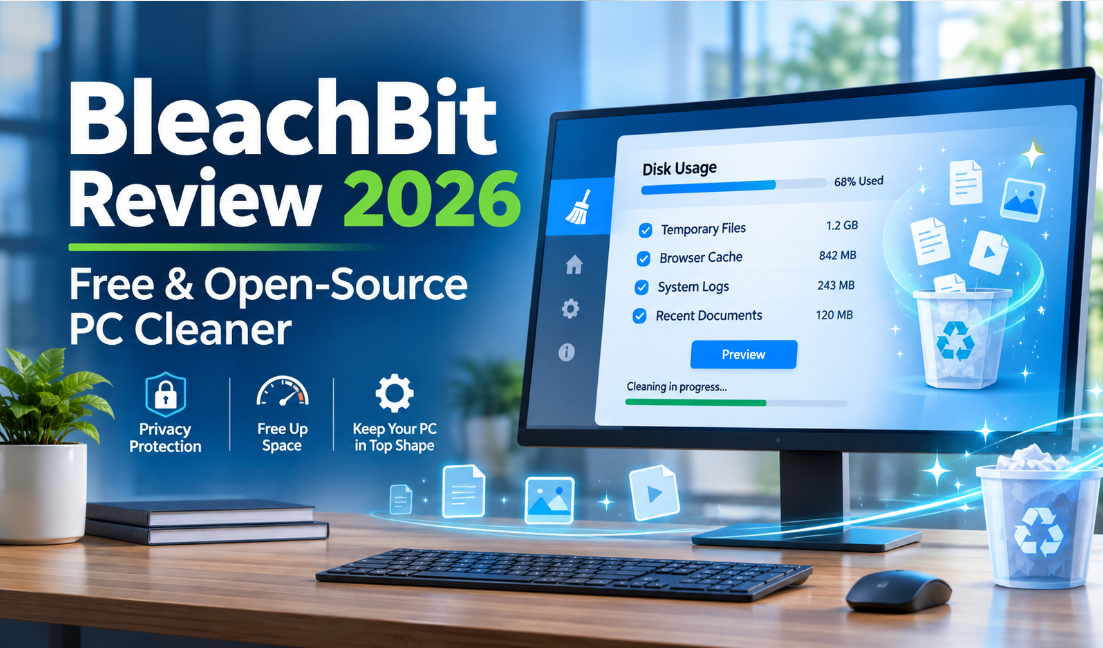
Keeping an office computer clean is not just about deleting old documents. Every day, Windows applications create temporary files, browsers store cached information, and software generates logs and other background data. Over time, these files can occupy valuable storage space and make computer maintenance more complicated.
BleachBit is a free, open-source PC cleaning application designed to help users remove unnecessary files and manage selected privacy-related data.
Unlike many commercial PC optimization tools, BleachBit emphasizes transparency, customizable cleaning options, and user control. It also provides additional capabilities such as command-line cleaning, portable operation on Windows, and secure file deletion.
But is BleachBit a good choice for office computers in 2026? Can beginners use it safely, and how does it compare with commercial alternatives such as CCleaner?
In this review, we examine BleachBit’s features, practical applications, advantages, limitations, and important safety considerations to help you decide whether it is worth using.
1. What Is BleachBit?
BleachBit is a free and open-source system cleaning application originally released in 2008 by developer Andrew Ziem.
Its primary purpose is to free up disk space and help users remove selected traces of computer activity.
Unlike a general file deletion utility, BleachBit uses application-specific cleaning rules. These rules identify supported categories of unnecessary information from Windows components, web browsers, and other applications.
Its main cleanup targets include:
- Temporary system and application files.
- Browser caches and selected cookies.
- Browsing history and website data.
- System and application logs.
- Recent document lists.
- Thumbnail caches.
- Other supported application-generated files.
BleachBit supports Windows and Linux, making it relevant to both individual users and organizations operating different desktop environments.
The project is also actively maintained. Its 6.0.6 stable release, published in October 2026, includes performance improvements, additional application cleaners, and bug fixes.
For office users, the main attraction is its ability to provide detailed control over which types of unnecessary information are removed.
2. Main BleachBit Features
BleachBit offers more than basic temporary-file deletion. Its feature set includes several tools that are particularly useful for users who want greater control over computer maintenance.
2.1 Temporary File and System Junk Cleanup
Temporary files are created during normal computer operations.
For example, Windows applications may generate temporary data when opening documents, installing updates, processing information, or performing background tasks.
Some files are automatically removed when they are no longer needed, while others may remain on the computer.
BleachBit can identify supported temporary files and help users remove them.
For office computers, this can be useful when:
- Employees regularly download email attachments.
- Applications generate temporary working files.
- Browser caches accumulate during daily work.
- Storage space becomes limited.
- Computers need routine maintenance.
One important consideration is that not every temporary file is safe to delete while an application is running.
Users should close relevant applications and review the selected cleanup categories before confirming deletion.
2.2 Browser Cache, Cookies, and Privacy Cleanup
Web browsers store different types of information during normal browsing.
This includes cached images, website resources, cookies, browsing history, and other site-related data.
BleachBit provides cleaning rules for supported browsers, including Chrome, Firefox, and other applications.
This can be useful for office employees who regularly access:
- Online document platforms.
- Business email services.
- Customer management systems.
- Internal company websites.
- Cloud-based applications.
Removing unnecessary browser cache can help reclaim storage space.
However, deleting cookies and website data may also sign users out of online accounts or remove saved website preferences.
For this reason, browser cleaning should be selective, particularly on shared office computers.
BleachBit also provides a cookie management function, allowing users to retain selected cookies rather than treating every stored cookie as unnecessary.
This is a useful distinction for people who want to clean browsing data without disrupting every active website session.
2.3 Preview Before Deleting
One of BleachBit’s most useful characteristics is its preview-based cleaning process.
Instead of immediately deleting every selected item, users can first choose the cleaning categories and review the files that would be affected.
The general workflow is straightforward:
- Open BleachBit.
- Select the relevant cleaning categories.
- Click Preview.
- Review the proposed changes.
- Adjust selections if necessary.
- Click Delete when satisfied.
This approach provides greater visibility into the cleanup process.
For office users, that matters because browser profiles, recent document lists, and application data may contain information needed for ongoing work.
The preview function does not guarantee that every deletion is reversible, but it provides an important opportunity to review selections before proceeding.
2.4 Portable Version for Windows
BleachBit provides a portable Windows version that can run without a traditional installation.
Users can download the portable ZIP package, extract its contents, and launch the application from the extracted folder.
This may be useful for authorized IT maintenance workflows where installing additional software is not desirable.
For example, an IT technician may prefer a portable utility when performing approved maintenance on a workstation.
However, portable operation does not bypass company security policies.
Organizations should confirm whether portable applications and removable storage devices are permitted before using this method on business computers.
2.5 Command-Line Interface and Automation
BleachBit also includes command-line functionality.
This is particularly interesting for advanced users and IT administrators who want to perform selected cleaning tasks through scripts or scheduled operations.
The command-line interface supports operations such as listing available cleaners, previewing selected cleanup actions, and executing approved cleaning commands.
For example, users can inspect available cleaning options with:
bleachbit --list-cleaners
They can also preview a supported cleanup operation before executing it.
This flexibility can be useful in technical environments where multiple computers require consistent maintenance procedures.
However, automation should be tested carefully.
An incorrectly configured cleaning script could remove browser data or application information that employees still need.
For this reason, administrators should test commands on non-critical devices before introducing them into wider office workflows.
2.6 Secure File Shredding and Free-Space Wiping
BleachBit offers additional tools for users who want to manage sensitive information.
Its file-shredding functionality is designed to make selected deleted files more difficult to recover.
It also provides free-space wiping capabilities that target previously deleted data in unused storage areas.
These functions serve a different purpose from ordinary junk-file cleanup.
For example, removing temporary browser files is a routine maintenance task, while securely destroying a sensitive document is a separate data-handling operation.
There are several important limitations to understand:
- Secure deletion should not be used on files that may still be needed.
- Free-space wiping can take considerably longer than ordinary cleanup.
- SSD storage behaves differently from traditional mechanical hard drives.
- Storage technologies, snapshots, backups, and hardware-level behavior can affect deletion guarantees.
Businesses that need certified data destruction should use an approved media sanitization process rather than relying solely on a general-purpose cleaning utility.
3. Advantages of BleachBit
BleachBit has several characteristics that distinguish it from many commercial PC cleaners.
1. Free and open-source software
Users can access its main cleaning functionality without purchasing a commercial license. Its open-source nature also allows developers to inspect, share, and modify the project under its license.
2. Transparent cleanup process
The preview function lets users review selected cleaning operations before confirming deletion.
3. Windows and Linux support
It is useful for individuals and organizations that maintain computers running different operating systems.
4. Detailed application cleaning rules
BleachBit supports cleaning categories for various browsers, system components, and other applications.
5. Command-line support
Advanced users can integrate selected maintenance tasks into scripts and automated workflows.
6. Portable Windows version
Users can run the portable edition without following a traditional installation process.
7. Privacy-oriented tools
Its browser cleanup, cookie management, file shredding, and free-space wiping features provide additional control over stored information.
4. Disadvantages and Limitations of BleachBit
Although BleachBit provides considerable flexibility, it is not necessarily the best solution for every user.
4.1 Interface May Be Less Beginner-Friendly
BleachBit uses a relatively straightforward but technically oriented interface.
Its cleaning categories are organized into expandable sections, and users must understand what different options mean before selecting them.
Someone who only wants a simple one-click cleanup experience may find a commercial alternative more convenient.
4.2 No Complete Centralized Business Management Suite
BleachBit is primarily a desktop cleaning utility.
It is not a full endpoint management platform that provides comprehensive centralized device monitoring, software deployment, reporting, and remote administration.
Large organizations may need additional IT management solutions to support these requirements.
4.3 Incorrect Cleaning Selections Can Cause Problems
Removing cookies may sign employees out of business websites.
Cleaning application data may also remove preferences, histories, or information that users expect to retain.
Advanced deletion options require particular care.
Users should begin with familiar cleanup categories and avoid selecting unfamiliar options simply because they appear unnecessary.
4.4 It Cannot Solve Every Performance Problem
Removing temporary files can recover disk space, but it does not automatically improve every aspect of computer performance.
For example, BleachBit cannot directly resolve:
- Insufficient RAM.
- Failing hard drives or SSDs.
- Malware infections.
- Poorly configured business applications.
- Hardware limitations.
- Network connectivity problems.
It should be considered a maintenance utility rather than a complete computer repair or security solution.
5. Is BleachBit Suitable for Office Computers?
BleachBit can be a useful option in certain office environments, particularly where users need transparent cleanup controls.
Different types of users may benefit from it in different ways.
Small Businesses
Small businesses that use Windows computers may find BleachBit useful for routine maintenance.
Its free licensing model can also be attractive to organizations that want to avoid unnecessary software costs.
However, business owners should establish clear guidelines about which files employees are permitted to remove.
IT Administrators
IT administrators may appreciate its command-line capabilities, portable version, and detailed cleaning rules.
These features can support authorized maintenance tasks and controlled cleanup procedures.
Before deploying it across multiple computers, administrators should test the selected cleaning configuration.
Linux Workstation Users
BleachBit also supports Linux, making it relevant to organizations that use Linux workstations alongside Windows computers.
Its support for different Linux package managers and application cleaners can be useful in compatible environments.
Shared Office Computers
Shared computers may accumulate browser caches, temporary files, and other user activity data.
BleachBit can help manage selected categories of this information.
However, it should not be used to bypass company record-retention policies or remove information belonging to other employees without authorization.
6. How to Clean an Office PC with BleachBit
For everyday maintenance, it is best to follow a cautious process instead of selecting every available option.
Here is a practical approach for Windows users.
Step 1: Download the Official Application
Visit the official BleachBit website and select the appropriate Windows package.
For most users, the standard installer is the recommended option.
Step 2: Install and Open BleachBit
Follow the installation instructions and launch the application.
If your computer is managed by an employer, confirm that installing the utility is permitted.
Step 3: Review Available Cleaning Categories
Look through the Windows, browser, and application sections.
Select only the categories you understand and intend to clean.
Step 4: Run Preview
Click Preview to inspect the proposed deletion list.
Pay particular attention to browser cookies, recent document lists, and application-related information.
Step 5: Confirm the Cleanup
If the selected items are unnecessary and do not affect business operations, proceed with the deletion.
Step 6: Check the Computer
After cleaning, verify that frequently used applications and business websites still work correctly.
This process provides a more controlled approach to PC maintenance than selecting every available cleaning option.
7. BleachBit vs. CCleaner vs. Wise Disk Cleaner
There are several PC cleaning applications available, but their primary purposes are not identical.
The following comparison highlights their general positioning.
| Feature | BleachBit | CCleaner | Wise Disk Cleaner |
|---|---|---|---|
| Free version | Yes | Yes | Yes |
| Open source | Yes | No | No |
| Windows support | Yes | Yes | Yes |
| Linux support | Yes | No | No |
| Browser cleanup | Yes | Yes | Yes |
| Preview-based cleaning | Yes | Available cleaning review options | Scan and review workflow |
| Command-line tools | Yes | Edition-dependent | Check current product documentation |
| Main focus | Cleanup and privacy | General PC maintenance | Disk cleanup |
BleachBit: Best suited to users who value open-source software, detailed cleaning selections, and command-line flexibility.
CCleaner: More suitable for users who prefer a familiar interface and a broader collection of individual and business maintenance products.
Wise Disk Cleaner: Worth considering when the primary objective is straightforward Windows disk cleanup and storage management.
There is no universal winner. The right application depends on whether the priority is open-source transparency, convenience, or dedicated disk maintenance.
8. BleachBit Pricing: Is It Really Free?
One of BleachBit’s main advantages is its free and open-source licensing model.
According to its official website, users can access the application’s cleaning functionality without purchasing a paid license.
The official project also emphasizes that users do not need to register an account to use the software.
This makes it different from commercial PC maintenance applications that reserve certain features for paid editions.
Before downloading, users should always obtain the application from the official project website rather than unfamiliar third-party download portals.
For businesses, the software’s open-source license should also be reviewed in the context of the organization’s software compliance requirements.
9. Safety and Privacy: What Should Users Know?
PC cleaning applications can access sensitive areas of a computer, including browser profiles, temporary directories, and selected application data.
This makes it important to understand how BleachBit works before using advanced cleaning functions.
Here are several practical considerations.
Download from the official source.
Use the official BleachBit website or its verified project distribution channels.
Review cleaning selections.
Do not assume every available checkbox should be selected.
Preserve important browser sessions.
Cookies and website storage may be needed for business logins.
Avoid unnecessary secure deletion.
File shredding and free-space wiping should be reserved for appropriate situations.
Follow company policies.
Employees should not independently delete business records, logs, or documents subject to retention requirements.
Keep the application updated.
Software updates can include important security fixes and compatibility improvements.
For example, BleachBit’s 2026 release history includes security-related fixes and improvements to cleaning operations. This is another reason to use current official releases rather than outdated installation packages.
10. Frequently Asked Questions
Is BleachBit completely free?
Yes. BleachBit is a free and open-source application. Its official project provides the main cleaning functionality without requiring a paid subscription.
Does BleachBit support Windows 11?
Yes. The current Windows release line supports Windows 10 and Windows 11. Users running older Windows versions should check the official legacy download information.
Can BleachBit clean browser cache and cookies?
Yes. It provides cleaning rules for supported browsers and can remove selected cache, cookie, history, and website data categories.
Does BleachBit have a portable version?
Yes. BleachBit provides a portable Windows ZIP package that can be extracted and run without a traditional installation.
Is BleachBit safe to use?
It is a well-established open-source cleaning project, but safety also depends on the options selected. Users should review the preview and avoid deleting information needed for business operations.
Can BleachBit improve computer performance?
It can free disk space and remove selected unnecessary data. However, it cannot guarantee faster performance on every computer or fix hardware-related problems.
Does BleachBit support Linux?
Yes. BleachBit supports Linux as well as Windows, making it useful for users who maintain different desktop environments.
Is BleachBit better than CCleaner?
It depends on your requirements. BleachBit is attractive to users who prefer free, open-source software and detailed cleanup controls. CCleaner may be more convenient for users who want a broader commercial PC maintenance experience.
Final Verdict: Is BleachBit Worth Using in 2026?
BleachBit is a strong option for users who want a free, open-source PC cleaning application with detailed control over temporary files and selected privacy-related information.
Its most valuable features include application-specific cleaning rules, preview-based deletion, portable Windows operation, command-line support, and additional secure deletion tools.
These characteristics make it particularly interesting for technically confident users, Linux workstation owners, and IT administrators who want a flexible maintenance utility.
However, its interface may require some learning for beginners, and advanced cleanup functions should be used carefully on business computers.
Our recommendation: BleachBit is worth considering if you prioritize open-source software, transparent cleaning operations, and control over the information stored on your computer. For simple everyday cleanup, it provides a useful free alternative to commercial PC cleaners. For large office environments, test its configuration first and follow your organization’s IT and data retention policies.
Review Methodology
This review is based on publicly available BleachBit documentation, official product descriptions, and published release information. It does not claim independent laboratory benchmarks or firsthand performance testing. Product features, supported operating systems, and release information may change. Readers should consult the official project website before downloading or deploying the software.