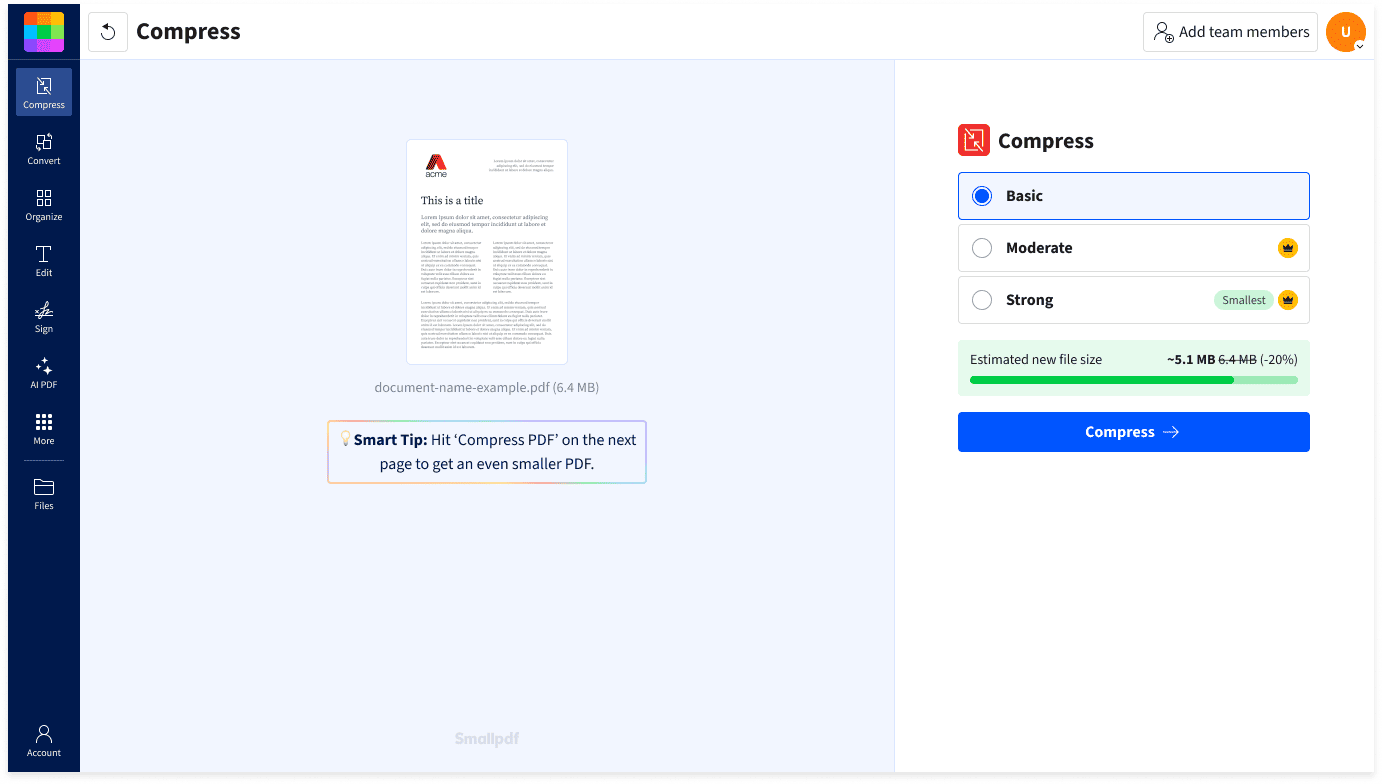
1. What Smallpdf Does
Smallpdf is a Swiss-made, browser-based PDF suite with 40+ tools: compress PDF, convert to/from Word/Excel/PowerPoint/JPG, merge and split, edit text, rotate, unlock, protect, e-sign, scan with your phone, and — newer — AI features like Chat with PDF, summarization, and translation. The pitch is speed and simplicity: drag a file in, get the result out, no installation, no learning curve. A desktop app and mobile apps extend it offline, and it’s ISO 27001 certified, which is why regulated companies tolerate it.
2. Pros
- Zero learning curve — the cleanest interface in the PDF category; first-time users finish tasks in under a minute.
- Genuinely free tier — 40+ tools work free (with daily limits), no credit card, no watermark on web output.
- Broad tool coverage — compression, conversion, editing, signing, and AI summarization in one place instead of five bookmarked converters.
- Cross-platform — browser + desktop app + mobile apps; files sync via Smallpdf workspace.
- Enterprise-ready — ISO 27001 certification, GDPR posture, team management, and an API.
- AI tools included — Chat with PDF, summarization, and translation up to daily limits even on free.
3. Cons
- The free tier wall is low — roughly 2 tasks/day (some tools 2/hour); regular users bounce off it fast, and sign-up is forced once you hit the quota.
- Pricing is mid-pack and climbs — $12–15/mo for Pro feels steep next to free alternatives (iLovePDF) and cheaper niche tools; EU users get USD-only billing with no EUR invoicing plus 1–3% card conversion fees.
- Upload limits persist on paid plans — some tools (OCR, certain conversions) keep file-size caps even after upgrading.
- Server-side processing — unlike browser-side rivals, files upload to Smallpdf servers; fine for most, a dealbreaker for sensitive documents.
- Depth limitations — OCR accuracy, redaction, and batch workflows lose to dedicated tools like ABBYY FineReader or Adobe Acrobat.
4. Pricing Comparison: Free vs Paid
|
Plan |
Price |
What You Get |
|---|---|---|
|
Free |
$0 |
40+ tools, ~2 tasks/day download limit, limited mobile app, AI tools limited (4 docs / 30 prompts per day) |
|
Pro (monthly) |
$15/mo |
Unlimited everything: downloads, OCR, Edit Text, Strong Compression, batch, AI tools, desktop + mobile apps, Sign.com Premium |
|
Pro (annual) |
~9–12/mo (~108/yr) |
Same as monthly Pro, ~25–34% cheaper |
|
Pro for Teams |
~8/seat/mo annual (~12/mo monthly, 2-seat min) |
Pro features + centralized billing, member management, priority support |
There’s also a 7-day free trial of full Pro. Context: a 10-person team pays ~960/yr on Smallpdf Teams vs ~2,660/yr for Adobe Acrobat Pro — Adobe is nearly 3× the price.
🖼️ Suggested chart image: 3-way annual cost bar chart — Smallpdf Pro (~108/yr), Smallpdf Teams 10 seats (~960/yr), Adobe Acrobat Pro 10 seats (~$2,660/yr).
5. Who Is Smallpdf For?
- Occasional PDF users — the free tier covers “compress this once” and “convert that invoice” perfectly.
- Non-technical professionals — HR, sales, real estate agents who need signing + conversion without IT support.
- Small teams on a budget — Teams plan undercuts Adobe dramatically while covering 90% of daily PDF work.
- Regulated businesses — ISO 27001 certification passes vendor review where random free converters don’t.
- Not ideal for: power users needing pro-grade OCR/redaction, or anyone handling highly sensitive files who wants browser-side (zero-upload) processing.
6. Conclusion
Smallpdf remains the default answer to “how do I quickly [PDF task]” for a reason: it is fast, beautiful, and trustworthy. The free tier is a real product, not a crippled demo — but its daily wall is deliberately low, and regular users will face the $9–15/mo Pro decision fast. At Pro pricing it’s fair but not cheap; heavy teams should compare Teams vs Adobe honestly, and privacy-sensitive users should look at browser-side alternatives first. For everyone else: bookmark it, and consider Pro the moment you hit the daily limit twice in one week.